Create a USB recovery drive for free
Dell OS Recovery Tool, like HP USB Recovery Flash Disk Utility and FlashBoot, is a free utility program that lets you construct a USB recovery drive. However, this utility's major concentration is on Dell operating systems, and you'll need the identical one that came with the device to use it.
Top Recommended Alternative

You will not need to download the software to your computer in order to build the drive. Instead, all you have to do is install the application by booting your computer with the USB drive inserted.
How do I get to the Dell OS Recovery Tool?
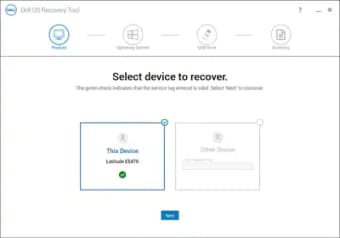
You must have the Service Tag for your Dell OS in order to utilize the program; otherwise, you will be unable to do so. Even so, if your PC crashes, you'll have a fresh installation to fall back on. It works with Windows and other operating systems, so it doesn't matter which one you have. No system is immune to failure, and Dell PCs are no exception.
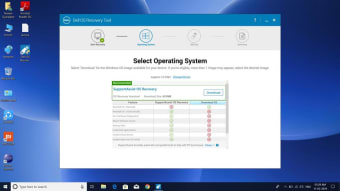
Dell OS Recovery Tool is an excellent program for recovering your computer, whether you're using Windows, Linux, or another OS. It allows you to make a USB recovery disk in the event that something goes wrong in the future. There are a few items you'll need before you can utilize Dell OS Recovery Tool. You'll need the computer's Service Tag to prove that you own the device.
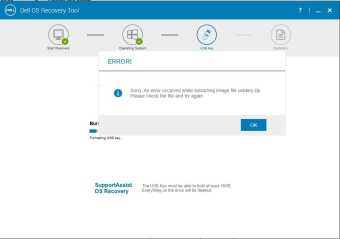
You must also install the software on that specific Dell computer in order for it to connect to the Tag. Finally, make sure you have at least 16 GB of space on an external drive and on your smartphone. Microsoft Net Framework is required, as well as administrative privileges. You can use the Advanced Mode to access more features.
Lightweight and handy tool
When your computer fails and you need to boot it up using an external device, Dell OS Recovery Tool is the data recovery program you'll need. You may use it on one computer or utilize the advanced settings to use it on another. Overall, if you want to keep your data and games safe, it's a must.